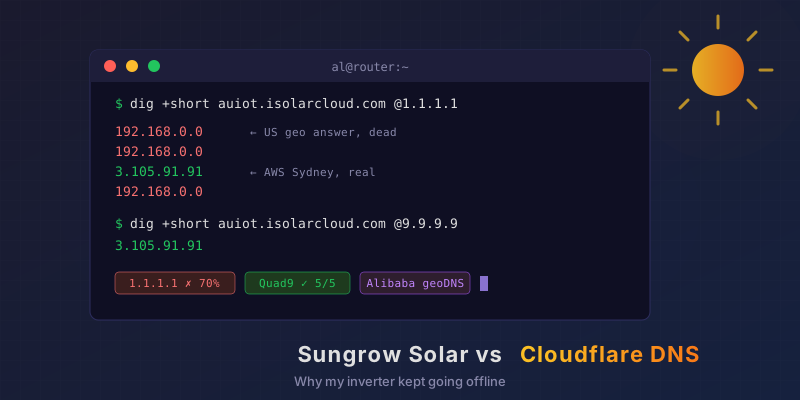
My Solar Inverter Kept Dropping Offline. Cloudflare DNS Was the Culprit.
We had Sungrow solar and an EV charger put in, and the next morning the iSolarCloud app was already telling me the “network connection is abnormal”. I reckoned it’d be the WiFi. It was DNS. It’s always DNS. Specifically, Sungrow’s geo-routed DNS colliding with a Cloudflare privacy feature, and it took about 15 minutes to pin down. The Setup Installed the day before: Inverter: Sungrow SG15RT (15 kW, 3-phase) + WiNet-S2 WiFi dongle Energy manager: Sungrow iHomeManager EV charger: Sungrow AC22E (22 kW, 3-phase) Router: OPNsense, Unbound resolver, DNS-over-TLS upstream → Cloudflare (1.1.1.1 / 1.0.0.1) + Quad9 (9.9.9.9) All three Sungrow boxes live on my IoT VLAN. They can get out to the internet but can’t see anything else on the network. When the app started saying the connection was “abnormal” or “unavailable”, my money was on WiFi signal, the IoT firewall rules, or my DNS blocklists eating something they shouldn’t. ...